Your golden standard
Create document categories with a golden Excel or PDF template, an export format, and a uniform file naming convention.
Organize your documents.
Keep your data on your computer.
Bring messy Excel spreadsheets and readable PDFs into a consistent format using your own golden templates. Review the results, make edits, and approve the export.
If you would like to request a free testing demo, please email us at info@liquid-phoenix.com.
Explore the app SOVEREIGN
Create document categories with a golden Excel or PDF template, an export format, and a uniform file naming convention.
Review missing values, unusual entries, possible spelling errors, and calculation inconsistencies. Suggested fixes require your approval.
Select the worksheets you want to format. Preview each sheet and see a change summary. Unselected sheets stay untouched.
Inside the app
Actual app screenshots using synthetic demo data.
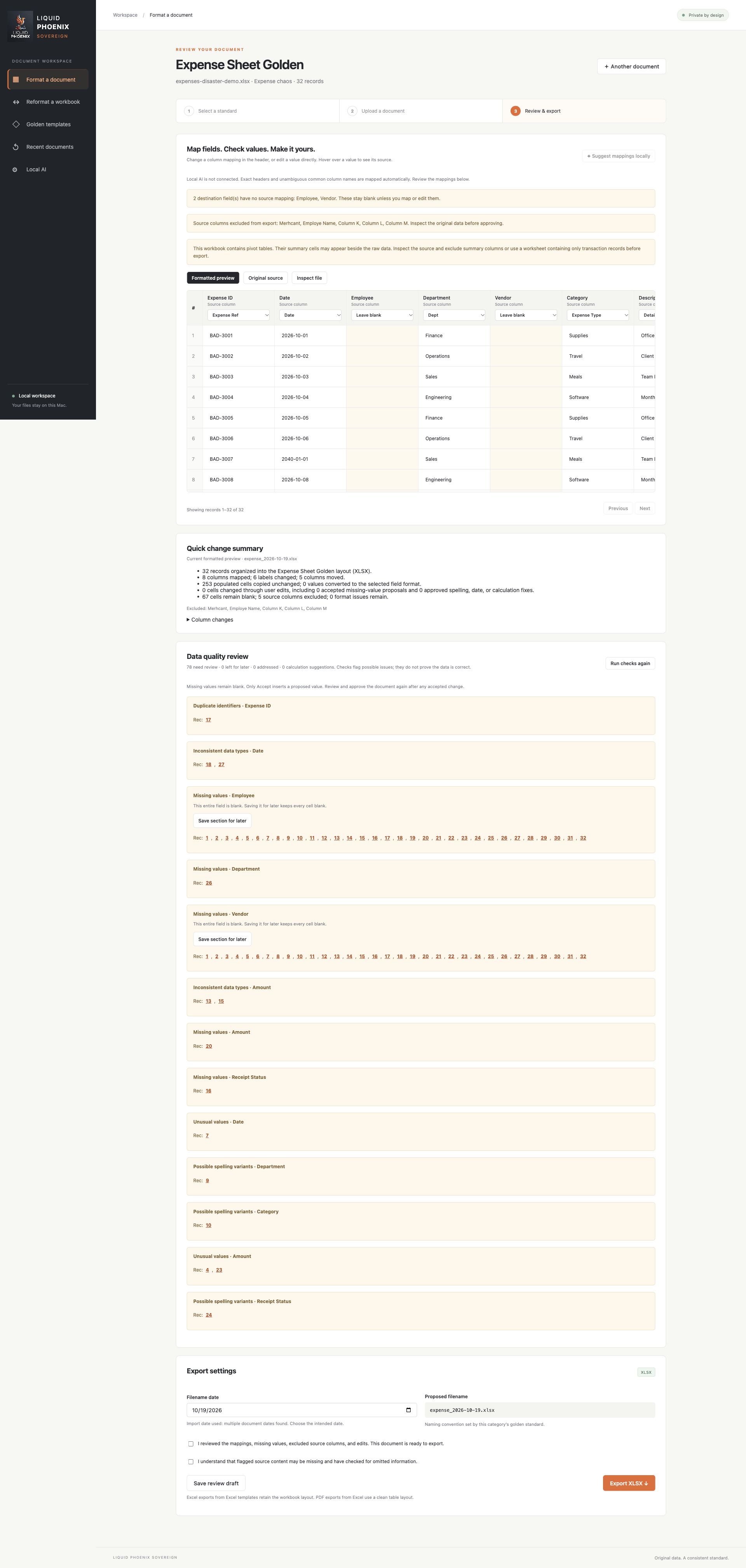
Map fields to your golden standard, review editable results, and investigate grouped quality alerts.
Open full-resolution screenshot in a new tab ↗The local model can suggest field mappings and discuss formatting plans. It does not fill document values automatically. You decide which supported suggestions to accept.
Downloads, initial model setup when needed, and installing updates require internet access. Scanned PDFs need searchable text before import. Complex documents may still require expert review.
From upload to review
Set up a golden template by document category, or start a formatting discussion with an Excel workbook.
Review field mappings, edit values, choose worksheets, and decide which supported changes to apply.
Work through grouped alerts in the golden-template workflow and see a summary of changes before approving your output.
Multiple worksheets and large workbooks may take time. Reformatting preserves values and formulas; it does not automatically repair every data quality issue or make a workbook automation-ready.